Free web browser, based on Gecko, the Mozilla rendering engine
K-Meleon is a very fast, customizable, lightweight web browser for the win32 (Windows) system based on the Gecko layout engine (the rendering engine of Mozilla).
K-Meleon is free, open source software released under the GNU General Public License.
K-Meleon is built on a powerful plugin architecture, which gives developers the ability to add new features.
Here are some key features of "KMeleon":
· Simple, efficient, fast browser.
· Uses your existing IE Favorites
· Uses your existing NS Bookmarks
· Complete control of the menus and hotkeys
· Privacy features
· Fast loading time
· Even faster loading time with (optional) symbiotic loader).
Requirements:
· Windows 2000, Windows XP and Windows 2003 Server fully supported. Windows 95, 98, 98SE, ME, Windows NT 4.0 generally supported with updated Microsoft libraries.
· 32 MB RAM minimum recommended.
· 6-7 MB of free hard drive space for download. 16 MB of free hard disk space for full installation.
Download Now
K-Meleon 1.5 Alpha 2 / 1.1.3

RSS Submit 2.38
Easily submit your RSS Feeds to the RSS search engines
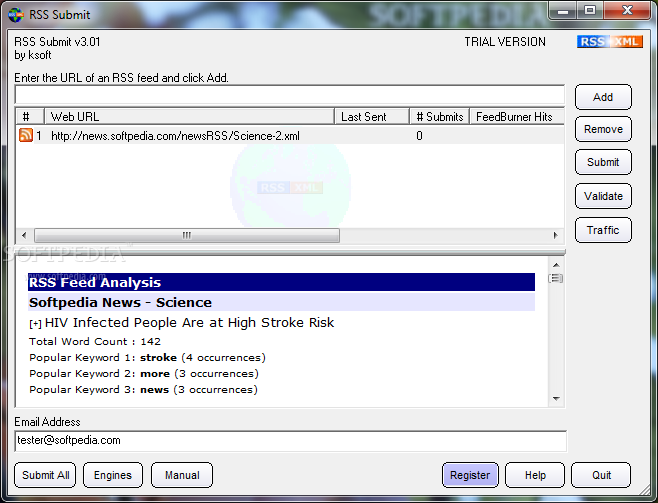
RSS Submit is a program that allows you to submit RSS feeds. RSS Submit is the most powerful RSS feed management and promotion tool available. The first of its kind for automatically submitting RSS feeds, it is the quickest and most reliable way to submit to the RSS search engines.
RSS Submit uses a combined method of automatic submissions and auto-filling web page submit forms to automate the process of submitting your RSS feeds, publishing your content, and getting more traffic with proven results.
RSS Submit is extremely easy to use. Automatic RSS feed detection allows you to enter the domain of your web site and let RSS Submit find the locations of your feeds.
Integration
with FeedBurner and Technorati statistics lets you track hits to your RSS feeds right from within the software. RSS Preview and keyword analysis lets you manage your feeds in real-time.
After submitting your RSS feed automatically with one click, you may perform additional manual submissions through your web browser to those directories which require more detailed information about your feed. RSS Submit can auto-fill most web page submit forms with information about your feed, providing a much quicker and easier submit experience.
For users who host their feed with FeedBurner or are listed in Technorati, RSS Submit contains integrated support for their RSS traffic statistics. Easily view up-to-date traffic hits for your RSS feeds directly from within RSS Submit. Be sure to activate this feature in your FeedBurner account in order to view stats in the software.
Preview your RSS feed in real-time just by selecting a URL. RSS Submit also provides you with the top 3 most popular keywords used in each feed article and a complete word count. Managing your RSS feeds has never been easier.
Limitations:
· 12-day trial period. After 12-days, you can no longer submit your RSS Feeds.
· Submission of up to 3 RSS feeds.
· Supports a limited number of RSS search engines.
Download Now
GOM Encoder
GOM Encoder Features
* Convert any video files that can be played with GOM Player
* Embed subtitles to the video (you can see subtitles on the resulting video even if your device doesn’t support subtitle)
* Encode just once to convert your video files into MP4/3GP/SKM format playable on your mobile phone, PSP and iPod
* Convert video files to AVI format playable on PMP and DivX players
* Convert video files to WMV format for your homepage or blog
* Convert video files to OGM/AVI for your PDA
* Convert video files to Flash format (FLV)
* Stable encoding
* Fast encoding (even faster on Dual Core or Hyper-Threading CPUs)
* Convert only parts of a video
* Adjust playback speed on the resulting video file
* Supports 2Pass encoding, resulting in higher quality video output
Download Now

Quick Bill System 1.4
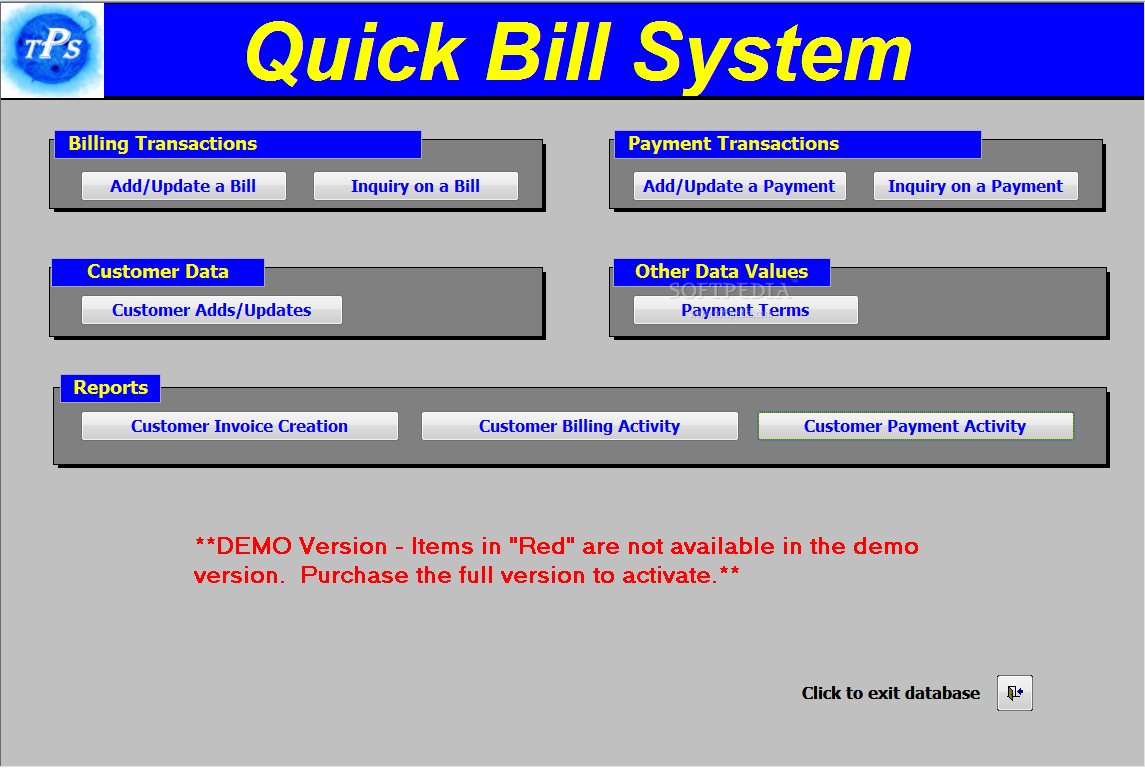
This application will make billing and creation of invoices easier for your business
Quick Bill System will help you with customer billing and invoice generation. It can also be used for customer payment tracking and reporting.
Quick Bill System offers you sales tax tracking and reporting.
Requirements:
· Microsoft Access 2000 or greater
Limitations:
· Limited customer data completion.
· Payment terms, reference and sales tax rate cannot be modified.
Download Now
An simple countdown timer written in Assembly settable from 1 second up to 99 hours
Looking for a program to measure how much time you spend on jobs, time chess games, or to prevent you freezing soft-drink cans?
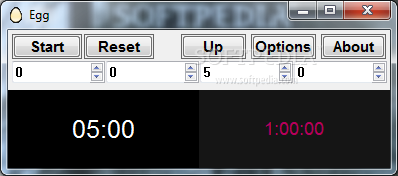
Egg is an easy to use timer that can do these tasks and more! It can count up and down, is settable by second divisions from 1 second up to 45 days, and while its default window size is compact, it can be varied to whatever size you want (including borderless full screen) to allow you to see the count from across the room.
Egg can display up to four timers at once, with each one having its own time, font, colour (foreground and background), time-up sound and text, repeat and direction settings. Additionally your common times are settable with only two clicks from a selection of 12 customisable times.
When a countdown has finished Egg can sound a beep or play a common Windows audio file, including MP3s or it can run a file. The sounds can be set to repeat and both sounds and files can be selected randomly.
For the more demanding user, Egg offers several more advanced abilities, including a dedicated chess timer mode, variable transparency, screen blank, auto repeating timers, keyboard shortcuts, "On-Top" window options, time-up warning, flash screen alarm, auto hide buttons, customisable menus, and random alarm times.
Egg can also be minimized to the System tray or the taskbar and controlled via its icon. Command line options are also supported and Egg requires under 200KB of hard drive space due to being written in efficient Assembly Language.
Here are some key features of "Egg":
The features below can be set independently for each timer
· Count up or down and even reverse in the middle of a count.
· Any time from three seconds to 49 days can be set with second resolution.
· Configurable font, font size, foreground colour and background colour for each timer.
· Time up event can be a system sound, almost any sound
file (including mp3, wma, midi and wave), or a externally run file such as a movie or a program. The sound or file can also be selected randomly.
· If a sound is selected it can be set to repeat and the repeat time can be configured.
· The screen can be blanked at the end of the time.
· Egg can make a warning beep every second for three seconds prior to the time expiring.
· At the end of the time a window will display and the text in this can be customised. Alternatively, the text can be shown on the countdown screen, or not shown at all.
· The timer can be set to reset automatically or when the time up window is displayed. Alternatively, at the end it can simply stop!
· The window can be set to flash (invert) at the end of the time.
· The timer can be set to start automatically when Egg is run.
These features apply to all or only one timer
· Egg features a two click quick set system that can set the time by simply clicking on the relevant timer and selecting from a list of twelve configurable times. A tool tip can be set for each time to help you remember what each time is for.
· The countdown window size can be set to any size you want, with three quick size settings for extra convenience. There is also a borderless full screen option.
· The first timer can have its time and time-up text set via the command line.
· The buttons and time input boxes can be hidden while the count is active.
· When minimised the currently selected timers count is displayed on the taskbar.
· The timers can be controlled via the buttons, the right-click menu or via keyboard shortcuts. The timer can still be controlled via the right-click menu even when minimised to the tray or taskbar.
· By customising a text file you can change the time up text or the time up sound via the right-click menu.
· Features that you don't use can be removed from the right-click menu to simply it.
· Times can be selected randomly by selecting a minimum time and the maximum variation.
· Egg can be set to be transparent, and the degree of transparency is configurable.
· Egg can be set to automatically minimise when the timer is started
· To save room in the taskbar Egg can minimise to the tray instead of the taskbar. In this mode the tool tip is used to display the current count. Additionally, the tray icon can be left on even if the window is shown.
· If you find Egg to be too complicated there is a "Simple" mode where most functions are disabled.
· The main and time up window can be set so they are on-top of other windows.
· The screen size and position, last times and other settings are saved for convenience.
· Multi-user setups are supported and Egg will run without any problems on a low privilege system and Windows Vista.
· Egg is written in 100% Assembly Language and is very small and memory efficient. The program itself is under 100KB!
· Egg can be run from a USB key and does not even need to be installed. Simply select "Extract" from the installer and then copy "Egg.exe" wherever you want!
· Egg includes a chess mode which transforms Egg into a Chess Clock
· The time for each player can be individually set
· The name and colour for each player can be changed
· Hourglass timing is supported. In this mode when one players clock is counting down, the others is counting up.
· To allow players to account for the physical moving of the pieces a variable Time Delay mode is included. This is so a player cannot run out of time by a player deliberately wasting game time by attempting impossible checkmates.
· Time up event can be a system sound, almost any sound file (including mp3, wma, midi and wave), or an externally run file such as a movie or a program. The sound or file can also be selected randomly.
Limitations:
· 30 days trial
Download Now
F-Secure Virus Definitions February 15, 2008
F-Secure Virus Definitions contains the latest free virus definitions for F-Secure Antivirus
Latest virus definitions for F-Secure Anti-Virus 5 and F-Secure Anti-Virus 4.
Whenever a new virus is found, the databases need to be updated for F-Secure Anti-Virus to be able to detect it.
F-Secure Anti-Virus offers an easy to use protection against viruses for your PC.
With F-Secure Anti-Virus you can open e-mail attachments and use your computer without fear of virus infections. You can also be sure that you are not sending viruses to others.
Just install and forget, F-Secure Anti-Virus will automatically keep viruses away from your computer.
Download and execute the FSUpdate utility. Note, that to update the databases again, you need to download the utility again.
F-Secure Automatic Update Agent is delivered with the latest F-Secure products. This is the most convenient way to keep the databases updated as it connects to F-Secure Policy Manager Server or F-Secure's Update server automatically whenever you are on-line.
F-Secure Automatic Update Agent uses incremental technology and network traffic detection to make sure that it works without disturbing other Internet usage even over a slow line.
Download Now
ZoneAlarm ForceField 1.0.253.0 Beta

ZoneAlarm ForceField application was created to be a lightweight software for your Web browser, designed to protect you from Web-based threats such as phishing and spy sites, theft, spyware downloads, and privacy invasions.
Requirements:
· Pentium III 1 GHz or higher
· Minimum system RAM: 512 MB
· 20MB of available hard disk space (Install size is approximately 4 MB)
· Internet Explorer 6/7 or Firefox 2.0 ONLY
Download Now

