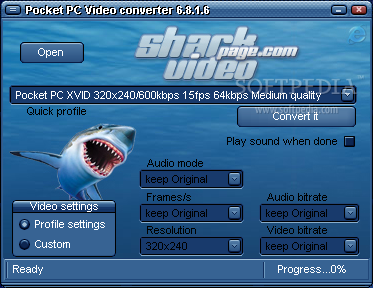
Shark Pocket PC Video Converter is a powerful easy-to-use software which helps you convert your popular Movie to file for playing on Pocket PC easily and quickly!
Watch your own Videos on your Pocket PC anytime, anywhere. It features excellent video and audio output quality with super fast processing speed. All in all, this software was designed to to be highly comfortable for usage displaying a very user-friendly interface.
Here are some key
features of "Shark Pocket PC Video Converter":
· Convert from DivX, XviD, AVI, MP4 format
· Convert from 3GP, 3GP2 format
· Convert from WMV, ASF format
· Convert from VOB, MPG, DV, M1V, M2V, MOV, MPEG-4 formats
· Convert from RM, RMVB format
· Convert from FLV and many of other input formats
· Support predefined output profiles
· Support various output video format and video size
· Automatically can shutdown computer after long time conversion
· Easy-to-use interface
· Output profile is adjustable, you can compress movies to any size and quality you need
· With latest industry standards, it creates best picture and audio quality
Requirements:
· Intel Pentium 1,2 GHz Processor or compatible
· 64MB RAM (256 MB recommended)
· 5 MB hard disk space
Limitations:
· Nag screen
· 30 days or 3 uses
Download Now
Shark Pocket PC Video Converter 6.8.1.6
MySpeed SVR Xpress 1.0a
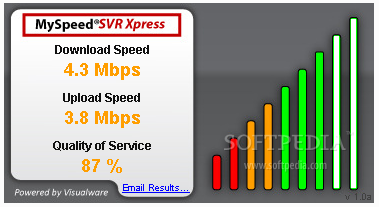
MySpeed SVR Express was designed to provide bandwidth testing services on your website, so your visitors can test their connection speeds to your server.
Download and upload speeds are accurately measured by timing actual data transfers between your web server and visitors. The consistency of download data transfer speeds, or quality of service, is also reported.
The quality of service is a key performance factor for bandwidth-intensive applications such as VoIP or video. Speed test results can easily be emailed for further analysis.
Requirements:
· Web server such as Apache or IIS
Limitations:
· This license expires on 1 July 2009. Limit of one license per any one individual or organization.
Download Now
IE Flower 1
The ultimate navigation tool for Internet Explorer
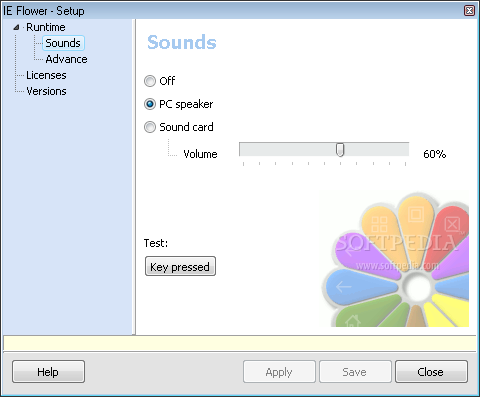
IE Flower is a small yet very powerful tool which allows you to navigate faster on the Internet using either a mouse or a touchpad.
Have you ever been frustrated to always have to move your cursor to the tool bar to perform a simple Previous page? With IE Flower, a double-click with the left mouse button (or a double-click on the touchpad) is enough.
The number of functions was increased in redefining the right button as a Shift "like" button. For example, holding the right mouse button while rotating the wheel performs an horizontal scrolling.
Another feature that was added is a scrolling mode. Hold the left button down and move the mouse horizontally or vertically for a fine scroll.
The Flower appears when holding the left button pressed for some time. Most functions are the same as the mouse buttons. It is particularly efficient while working on a laptop computer using the touchpad.
Obviously, you will need to practice this new way to use the mouse. But once mastered, you won't step back...
Requirements:
· Internet Explorer
Download Now
Color ComboBox ActiveX Control 1.05

The Color ComboBox ActiveX Control was designed to offer an easy method for a user to select a color from a combo box based on a predefined color-set or to define a custom color.
Here are some key features of "Color ComboBox ActiveX Control":
· Displays built-in default or user-definable color list
· Several predefined styles
· Optional edit button for custom colors
· Support for automatically changing color entry
· Built-in ChooseColor dialog access
· Find a color or a string with easy
· Easy to use even without one line code
· Special selected item color and 3D effect
· User-definable color bar width and height
· Fore color and back color of each items can be Individually modified
Requirements:
· Visual Basic 5.0 or higher
Deskman SE 8.0
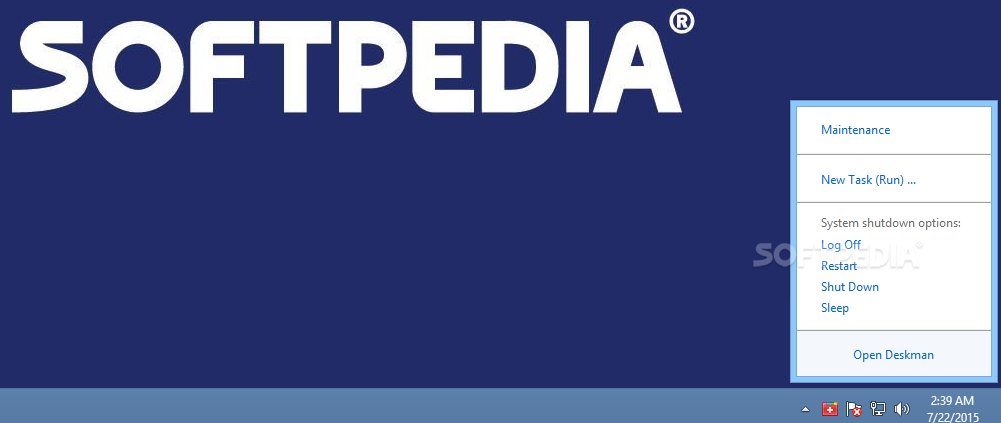
Deskman SE is a useful application that allows you to secure your computer in a snap. Combining different options, you can easily achieve the desired level of security.
Deskman SE is very easy to use, yet powerful enough for most demanding
needs.
Now, with the new Desktop Lock you are able to leave your desktop tightly protected while you're away.
Only you'd be able to unlock the desktop and continue with your tasks exactly where you left them. The lock is also useful to protect desktops with password, making sure only accredited people use the computer.
The new advanced features include the ability to disable Ctrl - Alt - Del, and any other key combination, and the ability to create your own Start Menu, among others.
In addition, the new kiosk mode provides you with additional desktop protection possibilities. Whether you need to secure workstations or lock your desktop, Deskman SE is your tool of choice.
Download Now
DMX512 Music Visualization 1.4
Control lights and other techniques by DMX512
The program is designed for control lights and other techniques by DMX512. The visualization is based on the data that is acquired from music in real-time.
The thesis is focused on reaching such visualization that corresponds with music produced with no need of human factor intervention.
Download Now

WinSent 1.1.10.128
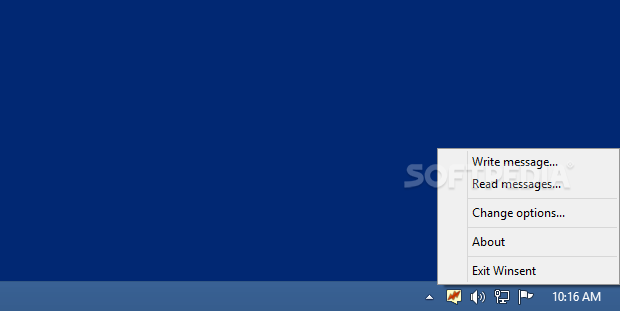
WinSent is software, intended for instant messaging within local area networks (LAN). You can easily use within your home LAN, but also in the office, enterprise or corporate LANs.
WinSent allows you:
· Send and receive short text messages.
· Send broadcast messages.
· Communicate with any user in your LAN, who have WinSent or compatible sofware installed.
With WinSent's help your company's employees or home users will be able, for example:
· Exchange messages with collegues and coworkers at work, friends at home.
· Send
announcements and tasks to collegues or subordinates.
· Remind employees about a meeting.
· Receive alerts from network administrator.
· Just chat with friends at home.
Here are some key features of "WinSent":
· Allows to send and receive messages using computers network name, user login, nickname. Sends broadcast messages using workgroup or domain name.
· Does not require an dedicated server or third-party services (like icq or mail server). Does not require Internet connection.
· Secure as not using insecure public networks (Internet). Messages are transmitting within your local network only.
· WinSent works over any network protocol (TCP/IP, IPX/SPX, etc.).
· Easy to use, friendly and comfortable interface. WinSent's user interface is not overloaded with bells and whistles. It looks and acts exactly like Microsoft's standard WinPopup.
· WinSent does not clutter up the task bar. It works in the system tray near the clock.
· WinSent is a compact program. It requires about 300 KB of hard disk space.
Download Now

